Guide
Markdown to a client-ready PDF
The findings are in a .md file. The client wants a PDF with a cover, a contents page, page numbers and tables that do not break in half. Here is what "client-ready" means, why the usual routes fall short, and how to get there in one export.
What "client-ready" actually requires
- A cover page with the title, client, date, version and who prepared it
- A table of contents with page numbers, and page numbers in the footer ("Page 6 of 14")
- A running header naming the document and version on every page
- Tables that survive page breaks: header row repeated, rows not split mid-cell
- Severity that reads in greyscale print: a label and a glyph, not colour alone
- Embedded fonts and no remote references: it must look the same on the client's machine, offline
- A confidentiality footer the client's procurement team will look for
- Nothing leaked: no reviewer comments, no draft notes, no links to internal systems
Why the usual routes fall short
Print from the browser or the editor preview
Browser printing has no real concept of a document. Page numbers and "Page x of y" are not available in a cross-platform way, there is no table of contents with page numbers, table header rows do not repeat reliably, and on a Mac the system font gets embedded in the PDF, which its licence does not allow for redistribution. Good for a draft, not for a deliverable.
Pandoc with LaTeX
Pandoc produces excellent PDFs once a LaTeX toolchain (1 to 4 GB) is installed and a template is written. Tables with long cells overflow the page unless you hand-tune widths; GitHub alerts, task lists and details blocks need filters; emoji and CJK need font configuration. It is a fine tool for people who already run it. It is not a Friday-afternoon handoff.
Online converters
They require uploading the report. For a pentest or a compliance document, that is usually a contract breach on its own.
How AsItIs does it
AsItIs renders the PDF with a typesetting engine bundled inside the app, in a child process with a memory cap, using the same fonts and colour tokens you see on screen. Nothing is uploaded and nothing is fetched.
- Fix the source. Correct the findings, update statuses, add the sign-off row. The save is byte-clean, so the git diff shows only your fixes and the report stays reviewable.
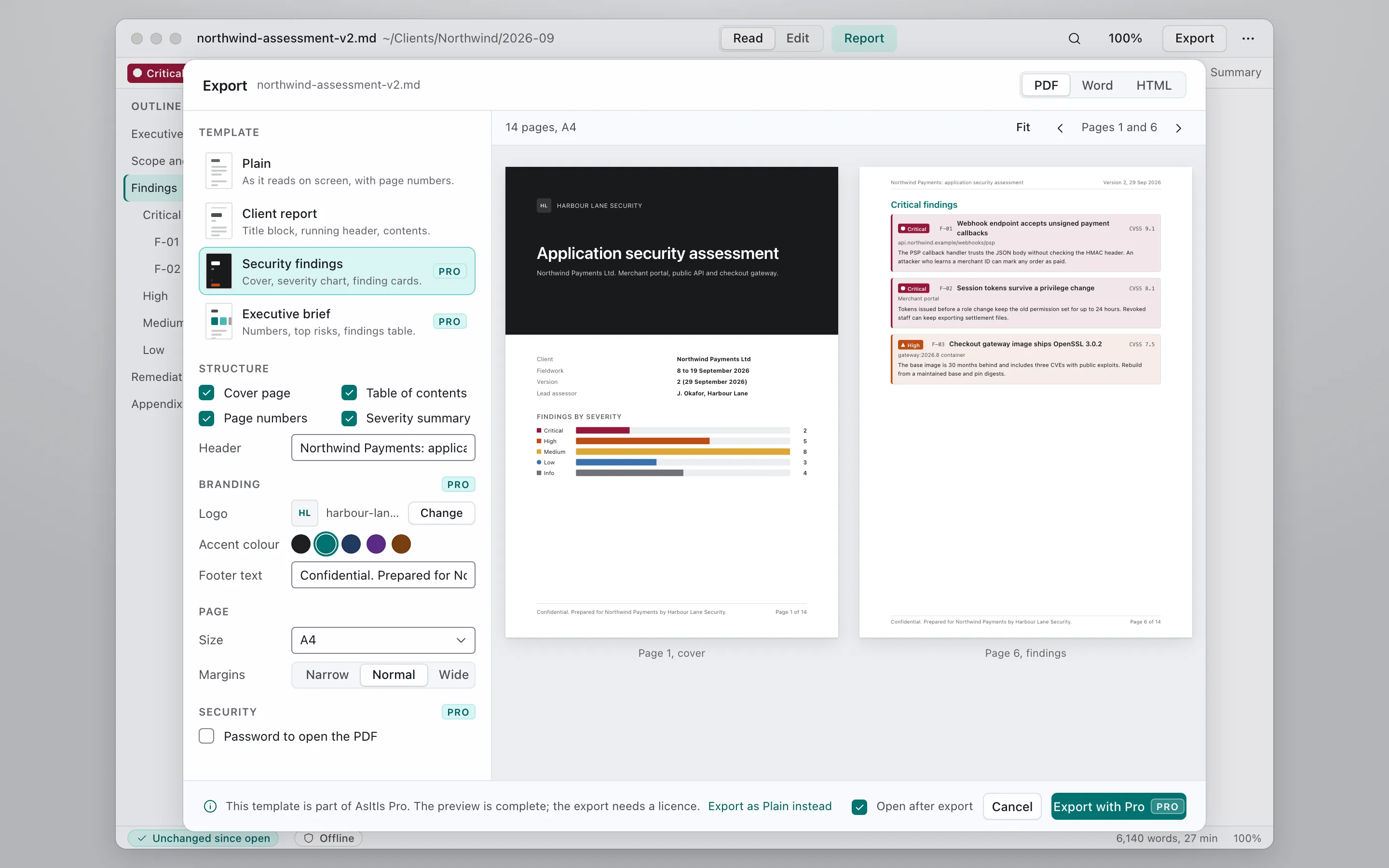
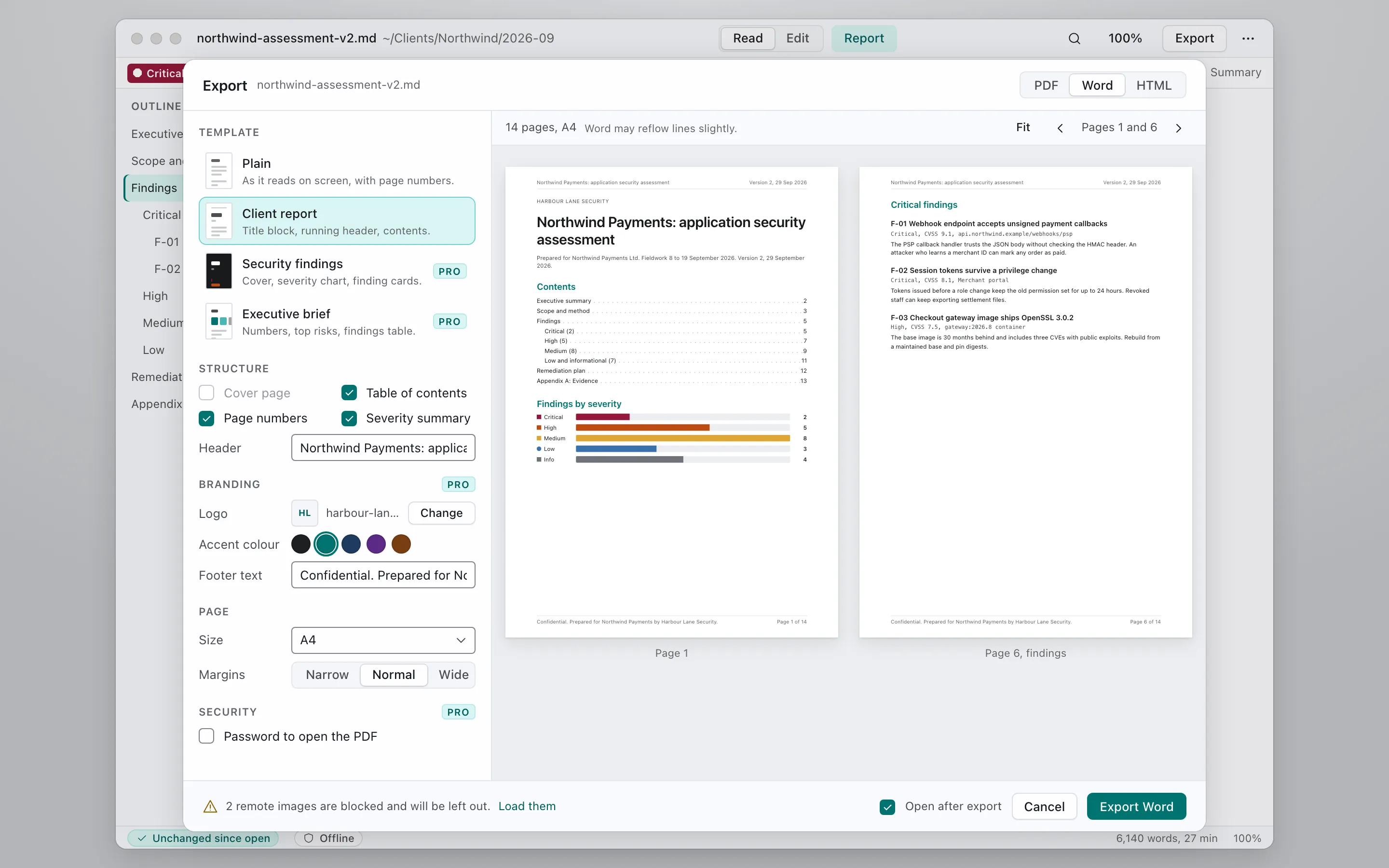
- Choose a template. Plain (free): the document as it reads on screen, with page numbers. Security findings (Pro): cover page, severity chart, findings by severity as cards, contents, running header, confidentiality footer. Word (Pro): a .docx with real Heading 1 to 3, table and code styles, for clients who redline.
- Read the preview. The export sheet shows real pages, not a mock. Warnings are actionable: "2 remote images are blocked and will be left out", "Contains Chinese text, download the CJK font pack for correct output".
- Export. A 14-page report renders in under half a second. Fonts are embedded subsets. Links to
javascript:orfile:are stripped. HTML comments appear as a visible box in the preview so you notice them before the client does.
Markdown that exports well
- One H1 for the title, H2 for sections, H3 for findings. The contents page follows this.
- Put the client, version and date in YAML frontmatter; the cover page reads them.
- Keep a findings table with fixed columns (ID, title, severity, CVSS, status). Cards are generated from it.
- Use a severity label in text (
Critical), not only an emoji or a colour word. - Use relative image paths inside the report folder. Remote images are blocked by default.
- Delete reviewer comments before export, or check the preview's comment boxes.
- Mermaid diagrams render; if one fails, it is exported as its code block and the preview says so.
Which template when
| Situation | Template | Plan |
|---|---|---|
| Internal copy, quick review | Plain PDF | Free |
| Pentest, audit or scanner findings for a client | Security findings PDF | Pro |
| Client's legal or procurement team will redline | Word export | Pro |
| Firm branding on every export | Firm template pack | Firm (coming later) |
Pricing. Pro can be tried for 21 days or 3 exports, whichever ends later, without an account.